

Browser integration
Apollo Download Manager's browser extension sends downloads from your browser to Apollo Download Manager. It works with Chrome, Edge and Brave (Chrome 116 or later) and Firefox (115 or later).
Beside V1
Apollo Download Manager's extension is its own: it is named Apollo Download Manager (Apollo DM for short), its menu item is Download with Apollo Download Manager, and it talks only to Apollo Download Manager. V1's extension can stay installed at the same time; each sends links only to its own app, and registering or unregistering Apollo Download Manager never touches V1's.
Installing the extension
Chrome and Brave: install it from the Chrome Web Store. In Apollo Download Manager, Get the extension in Settings, Browser opens that page in the browser.
Edge and Firefox: not in their stores yet. Get the extension stays off for them until their store pages are live, and a note in Settings, Browser says so. Until then, load the extension by hand from a build, as below. Edge can also install extensions from the Chrome Web Store, once you allow extensions from other stores.
The installers don't set the extension up for you. To load it by hand:
Chrome, Edge, Brave: open
chrome://extensions(oredge://extensions,brave://extensions), turn on developer mode, choose Load unpacked, and pick the extension'schromefolder.Firefox: open
about:debugging, This Firefox, Load Temporary Add-on, and pick themanifest.jsonin the extension'sfirefoxfolder. Firefox removes a temporary add-on when it closes.
How to build the extension is in the developer documents.
Connecting it to Apollo Download Manager
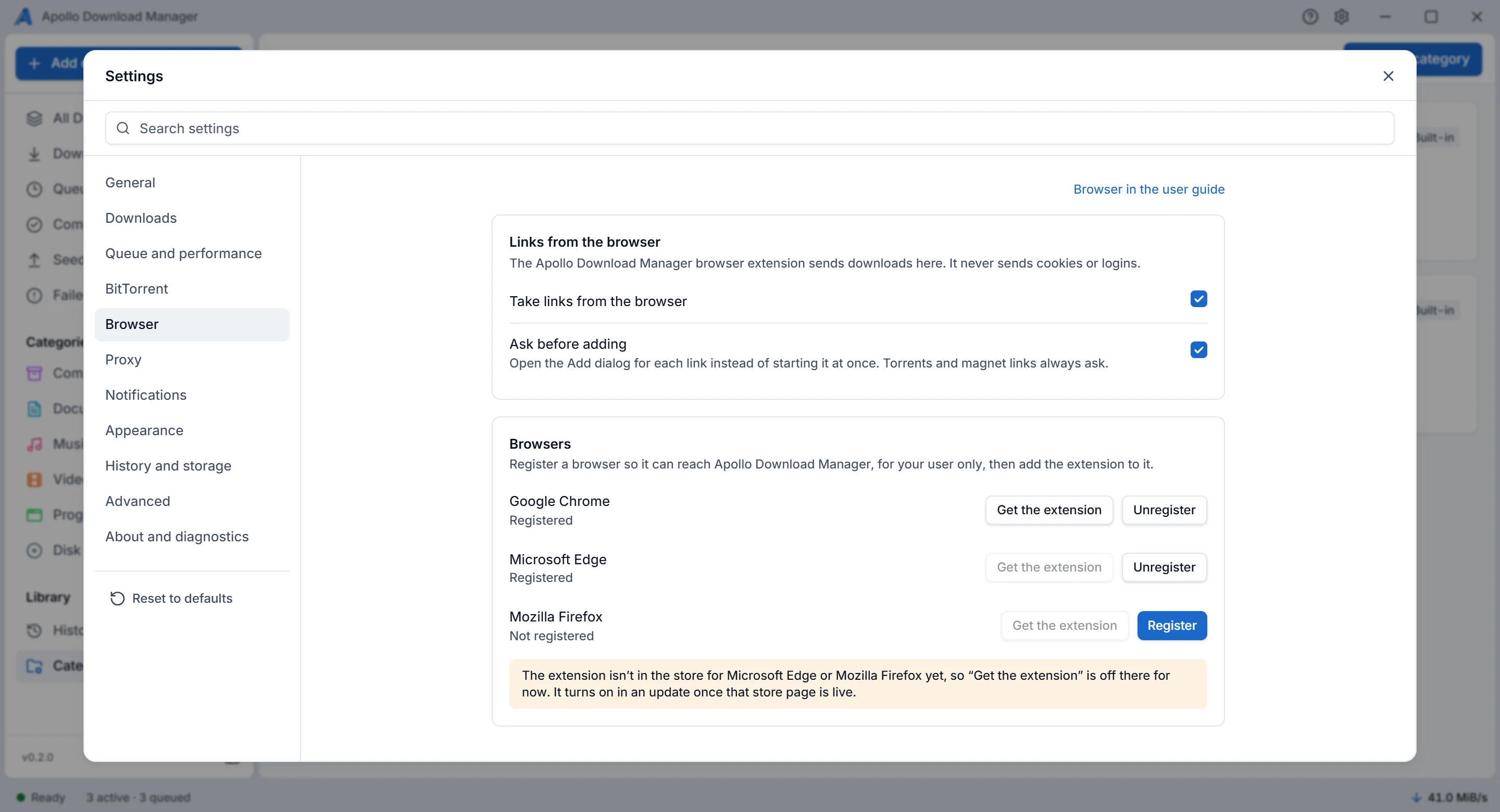
In Apollo Download Manager, open Settings, Browser. Each browser (Chrome, Chromium, Edge, Brave, Firefox) has Register or Unregister. Registering is for your user only and needs no administrator rights. The first-run setup offers the same.
"Registered for another copy" means the registration points to a copy of Apollo Download Manager that was moved or reinstalled elsewhere: Register again fixes it.
Before removing Apollo Download Manager on Linux, unregister the browsers: a package can't remove registrations from your home folder (Installing).
What the extension does
It takes over matching downloads: by default, archives, disk images, installers, video, audio, PDF and e-books, and files of 20 MiB or more when the browser knows the size. The browser's own copy is cancelled once Apollo Download Manager has the link.
Modes, in the extension's popup: send matching downloads to Apollo Download Manager (the default), ask first, or leave every download to the browser.
Rules, in the extension's options: the file types, the size, sites to always or never send, and private windows (off by default).
The right-click menu on links, images, video and audio: Download with Apollo Download Manager.
Magnet links and
.torrentdownloads: off by default. Turning magnet links on asks for access to pages; once you allow it, magnet links work in the pages already open too. Apollo Download Manager always asks before adding a torrent.What it never sends: cookies, page content or logins. A download that needs them may fail in Apollo Download Manager; the browser can then download it.
What Apollo Download Manager does with a link
Settings, Browser has two switches, both on by default:
Ask before adding: the Add dialog opens, filled in, and Apollo Download Manager's window comes forward. Off, the link is added at once to the automatic folder. A taken name, a link added before, a torrent or a magnet link still opens the dialog.
Take links from the browser: off, Apollo Download Manager refuses every link, and the browser downloads it itself.
A link to this computer or your local network (such as 127.0.0.1, 192.168.x.x or 10.x.x.x) waits in the list before anything is sent: Download anyway in its details panel goes on. A link you type or paste yourself isn't held.
When Apollo Download Manager can't take a link
If Apollo Download Manager isn't running, isn't connected, or refuses the link, the browser downloads the file itself. The extension's badge turns red with "!", and its popup says why:
"Apollo Download Manager is not running": Apollo Download Manager starts by itself in the tray when a link arrives. If it couldn't, start it yourself.
"Apollo Download Manager was started but didn't answer in time": it took longer than 10 seconds to start. Try the link again.
"The connection to Apollo DM is not set up": register that browser in Apollo Download Manager's Settings, Browser, then reload the extension.