Apollo Download ManagerApollo Download Manager

Features

Every picture is a real screen from Apollo Download Manager, with example downloads.

Add one link, or five hundred

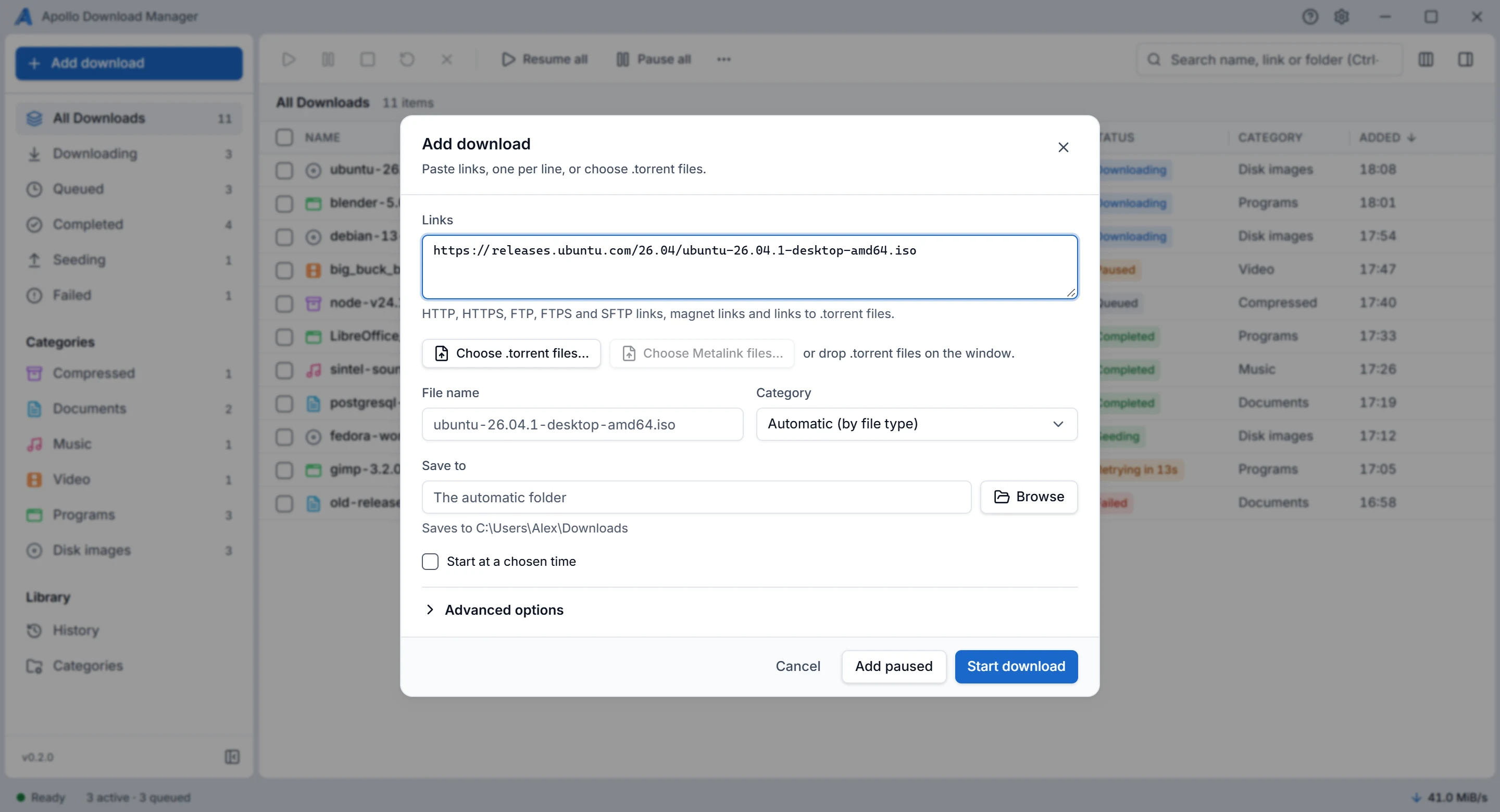
Paste links, one per line, or choose a .torrent file. You see the file name, category and folder before anything starts.
In the user guide

The Add download dialog, with a link pasted in and the file name, category and folder filled in.

See what each download is doing

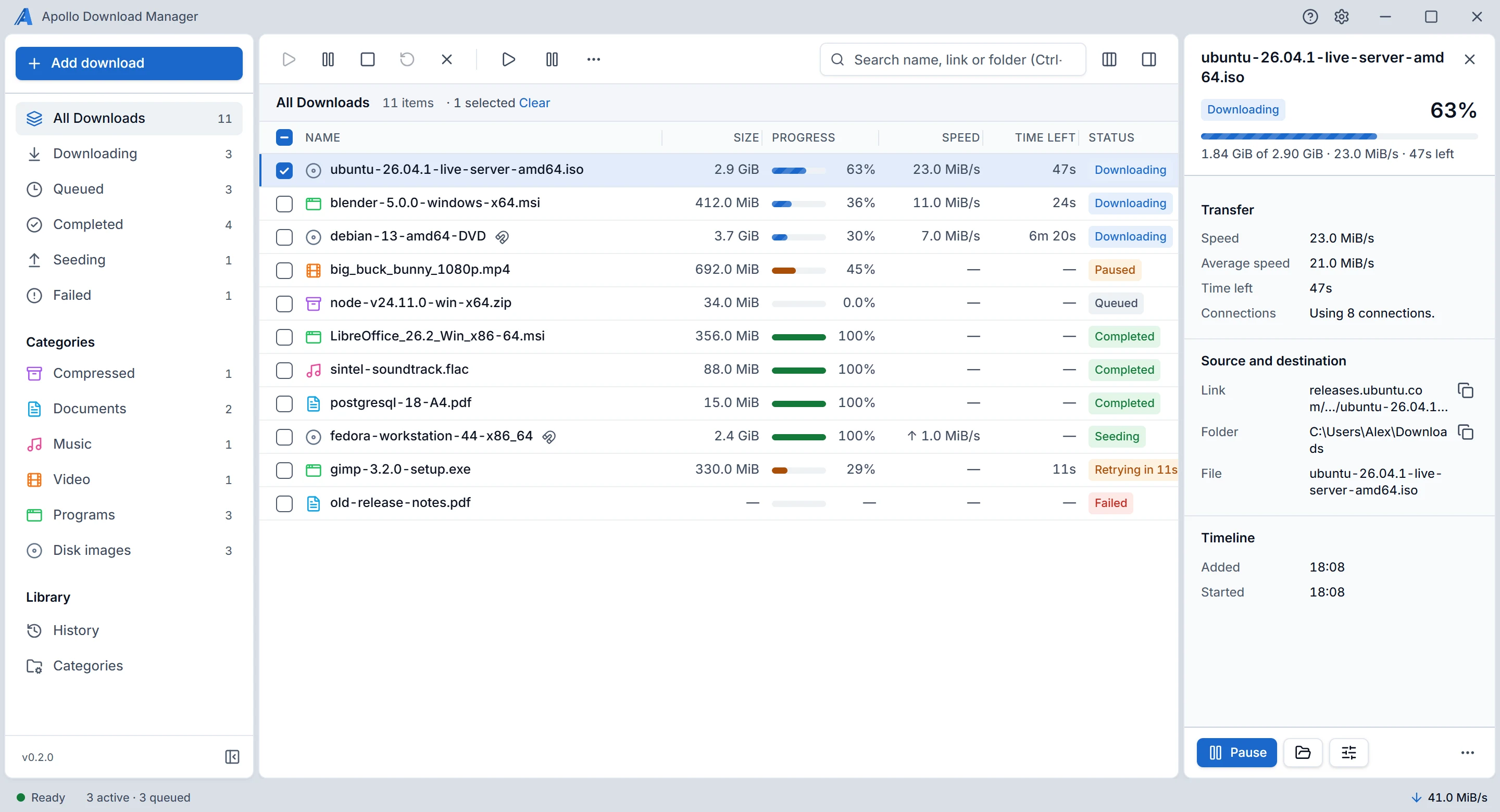
Speed, time left and connections for every file. When one waits or fails, it tells you why in plain words.
In the user guide

The download list with the details panel open, showing speed, time left, connections, link and folder.

Files sort themselves

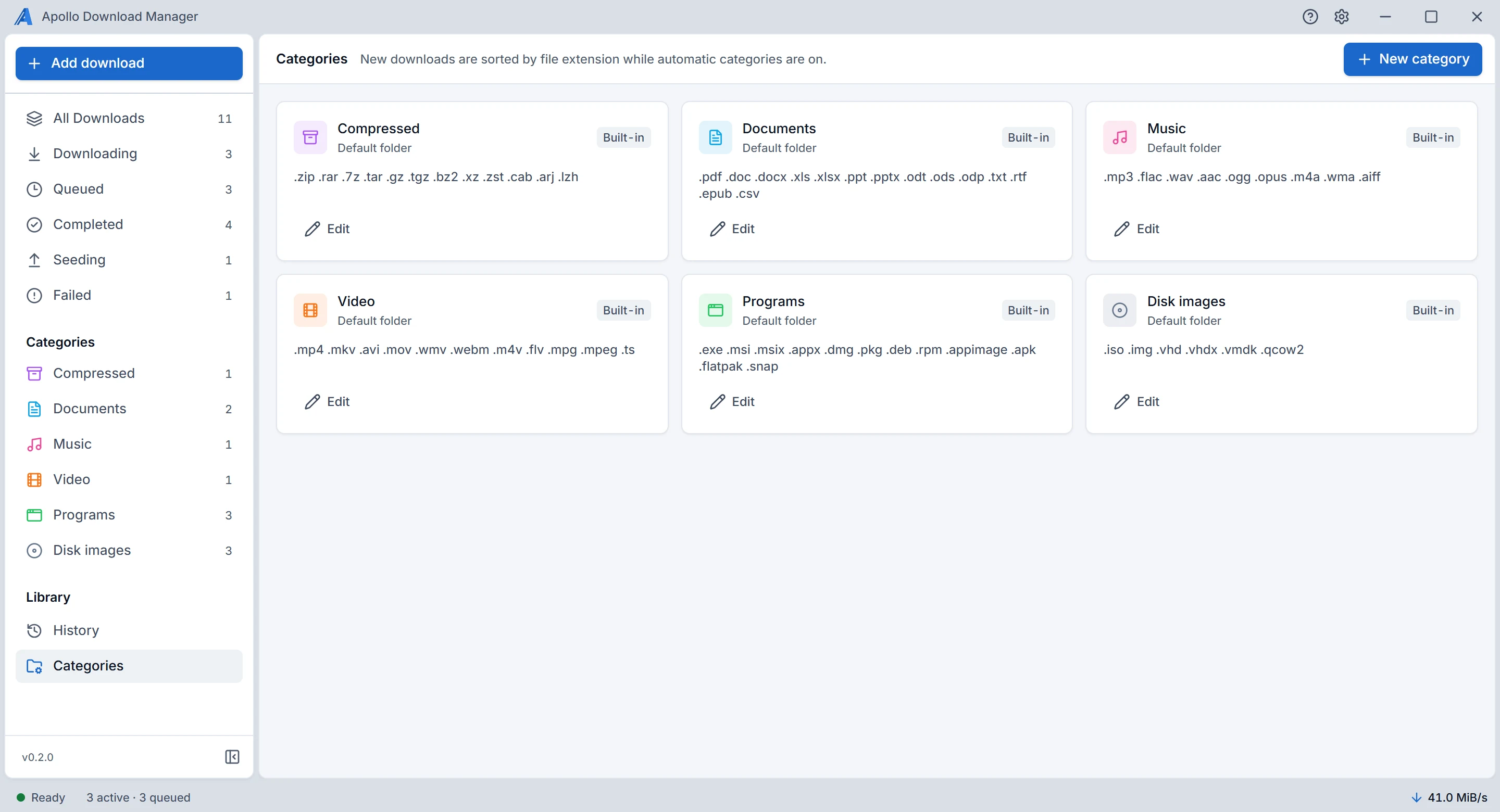
Six built-in categories go by file type, and each can have its own folder. Add your own, with your own file types.
In the user guide

The Categories screen: six built-in categories, each with its file types.

Takes over from your browser

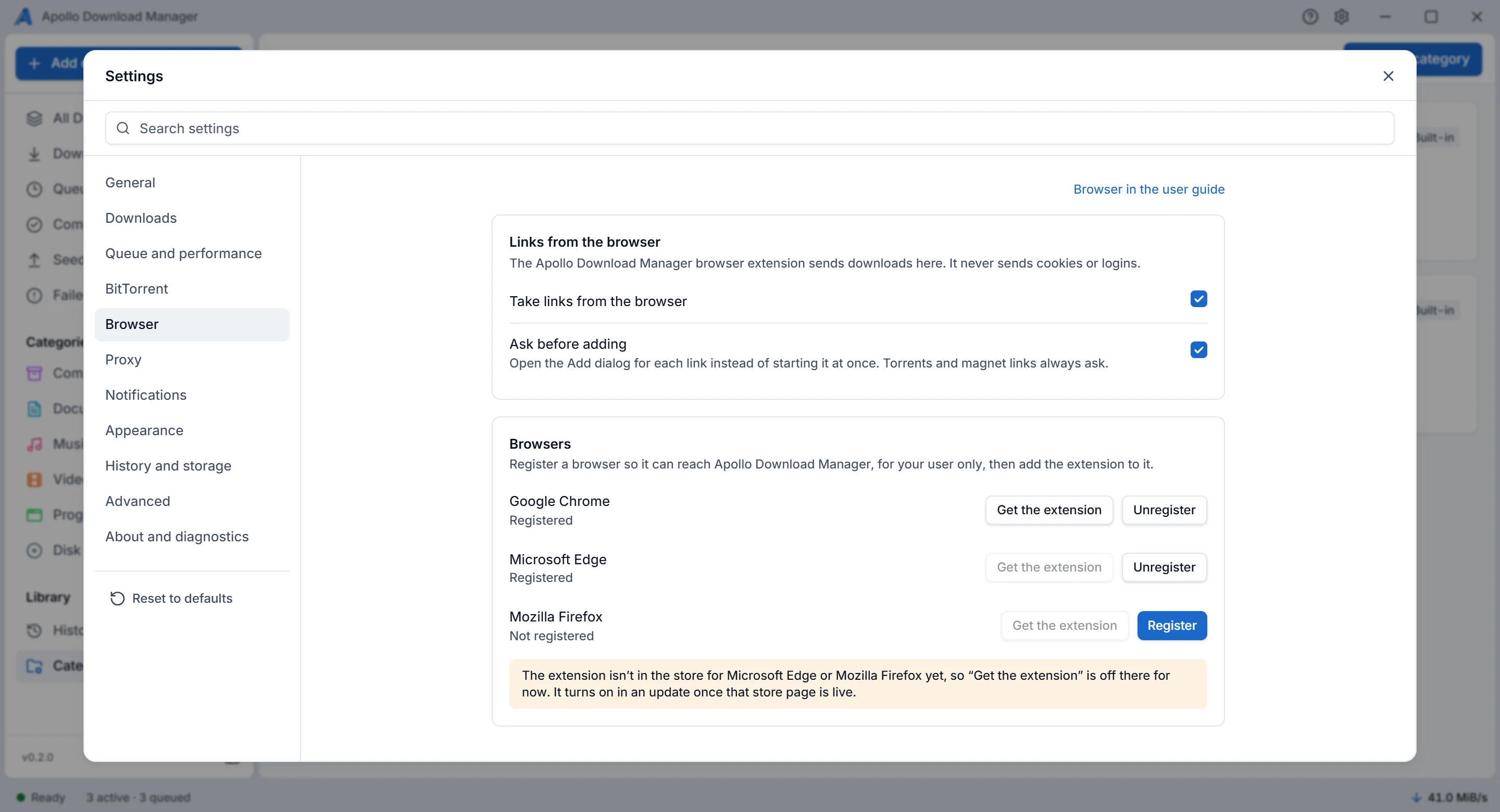
Register Chrome, Edge, Brave or Firefox, and the extension sends downloads to the app. The extension isn't in the browser stores yet.
In the user guide

Settings, Browser: taking links from the browser, and Chrome, Edge and Firefox with their register buttons.

Runs when you say

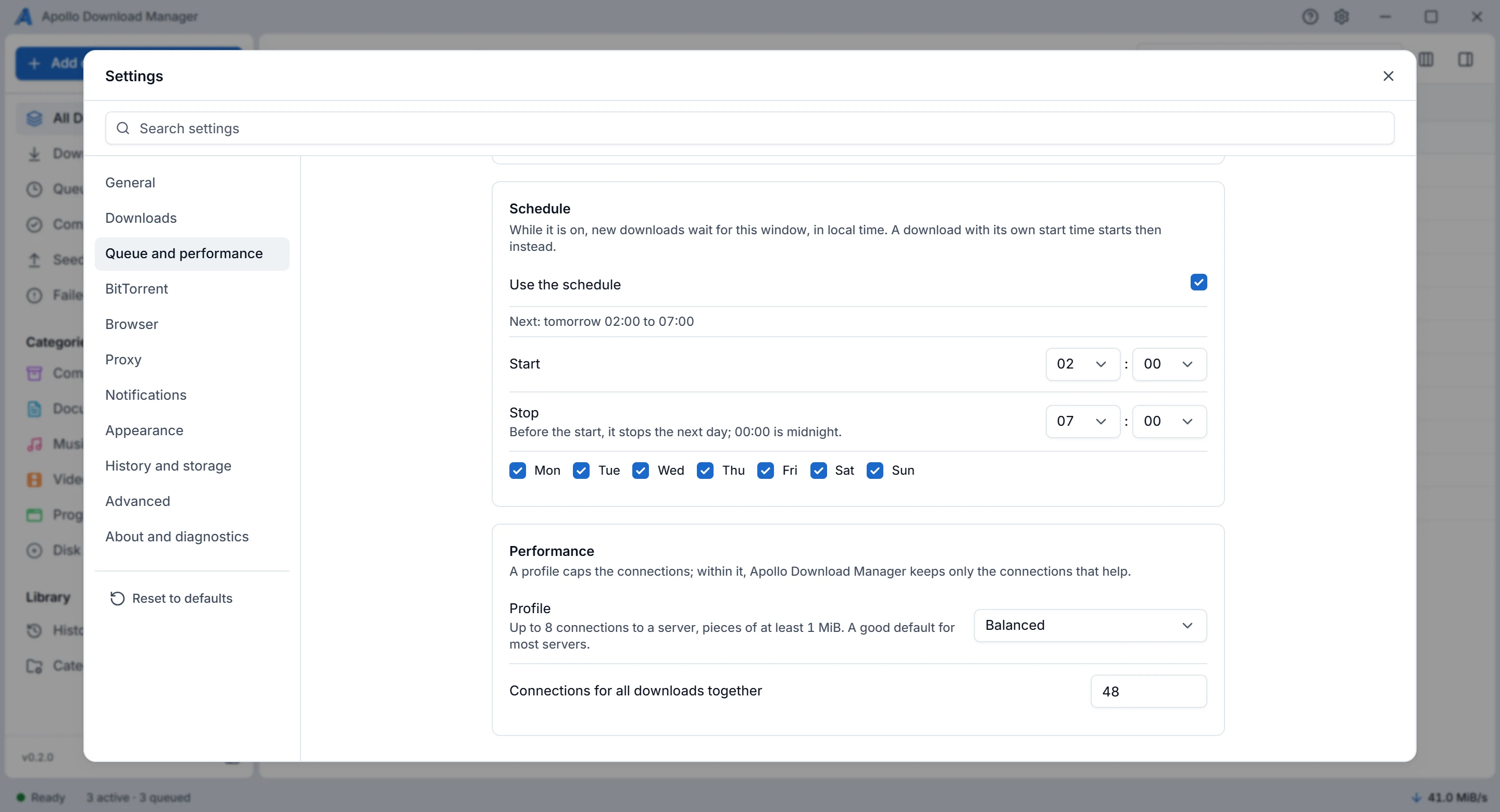
Choose how many downloads run at once, a speed limit, and the hours and days downloads may run.
In the user guide

Settings, Queue and performance: a schedule from 02:00 to 07:00 on every day, and the Balanced profile.

Light or dark

Match your system, or choose one yourself in Settings, Appearance.

In the user guide

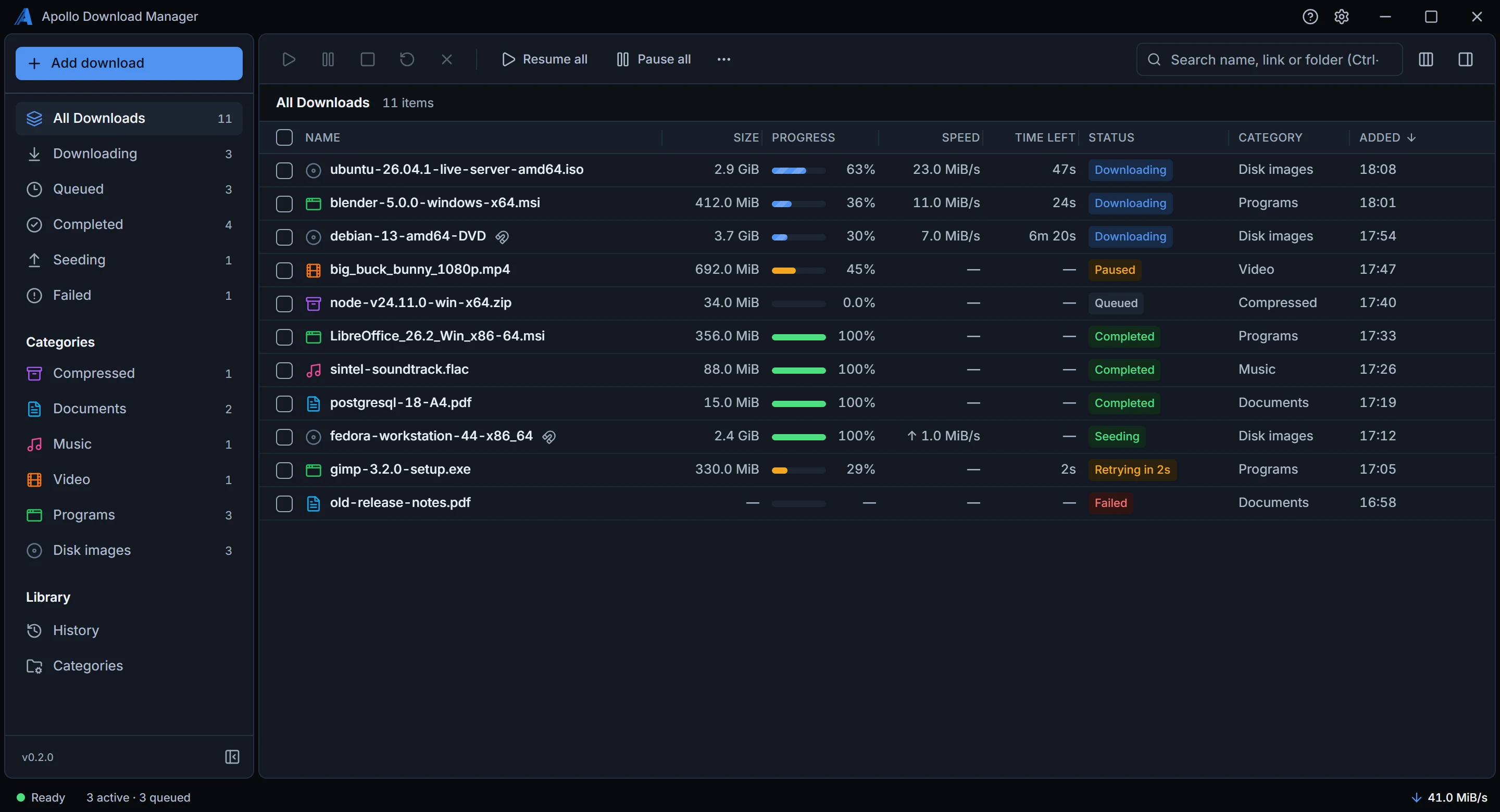
The download list in the dark theme.

See it for yourself

Free for Windows and Linux, with no account.

Download